Author

Antonina Smyrnova
Notion is where teams organize almost everything: projects, tasks, customers, internal docs, and lightweight dashboards. But sooner or later, many teams hit the same wall: calculations get complicated.
Simple formulas work fine. Problems start when you need scoring systems, if-then rules, or calculations that change often. At that point, Notion formulas can feel limiting, and even a small change can cause problems.
That’s usually when Google Sheets quietly steps in. Not as a replacement for Notion, but as a calculation layer that handles the messy parts behind the scenes.
Why Teams Move Calculations Out of Notion
Notion formulas are useful, but not made for complex rules. Fixing problems is hard, if-then statements get confusing, and trying different options is not easy.
Google Sheets is made for this kind of work. You can try things, make mistakes, fix them, and see results right away. For teams that use numbers daily, this flexibility matters more than it seems.
The goal isn’t to choose between tools. It’s to let each tool do what it does best.
Mini-Example: Simple Customer Scoring
A common scenario looks like this: You have customers in Notion and want to assign them a score based on several factors: revenue, activity, and account status.
In Notion, this quickly becomes a long, confusing formula. In Google Sheets, it is much easier to handle.
For example, once the data is synced into Sheets, you might calculate a score like this:
=IF(B2="Active", C2*0.5 + D2*0.3 + E2*0.2, 0)
Where:
B2is account statusC2is revenueD2is usageE2is engagement
You can change the numbers, try out ideas, or add new information without changing anything in Notion. The final score is then sent back and shown as a simple number.

Where Google Sheets Formulas Really Work
Once Notion data is in Google Sheets, teams often see patterns they could not set up before.
Conditional logic that stays readable
Instead of deeply nested logic, formulas like IFS() keep things clear:
=IFS(
F2>=80, "A",
F2>=60, "B",
F2>=40, "C",
TRUE, "D"
)
This is often used to convert numeric scores into tiers or statuses that are easy to understand in Notion.
Matching data with lookup formulas
Another common need is to add more information, such as matching records to a reference table.
Using XLOOKUP, this becomes straightforward:
=XLOOKUP(A2, Pricing!A:A, Pricing!B:B)
This might pull a pricing level, category, or label based on an ID from Notion. Keeping this setup in Sheets keeps your Notion database simple.

Scaling calculations automatically
One of the biggest advantages of Google Sheets is ARRAYFORMULA(). Instead of copying formulas down hundreds of rows, you define the logic once:
=ARRAYFORMULA(IF(A2:A="", "", C2:C*D2:D))
As new rows arrive from Notion, calculations apply automatically. No manual work, no broken formulas.
This is especially useful for teams with constantly growing databases.

Mini-Example: Performance Metrics
Let’s say you’re tracking deals or tasks in Notion and want to calculate a conversion rate.
In Sheets, that might look like:
=COUNTIF(Status!B:B,"Closed Won") / COUNTA(Status!B:B)
You can refine this, filter by date, or add conditions, all without changing your Notion setup. Notion simply displays the final metric.
How Teams Usually Organize This Setup
Most teams keep things simple:
- one sheet for raw synced data
- one or more sheets for calculations
- helper columns for intermediate steps
This separation makes formulas easier to understand and reduces the risk of errors. It also makes it easier for new team members to get started, since they do not have to figure out one huge formula.
What Makes This Approach Sustainable
The key is to resist the urge to rebuild logic in Notion. If a value is calculated in Sheets, treat it as final.g matters. When a calculated field shows up in Notion, everyone should understand what it represents without opening a spreadsheet or asking questions.
Finally, simpler formulas usually win. Breaking logic into steps may look less elegant, but it is far easier to maintain over time.
How resynced.io Fits Into This Workflow
To make this approach practical, data needs to move smoothly between Notion and Google Sheets without overwriting formulas or breaking calculations.
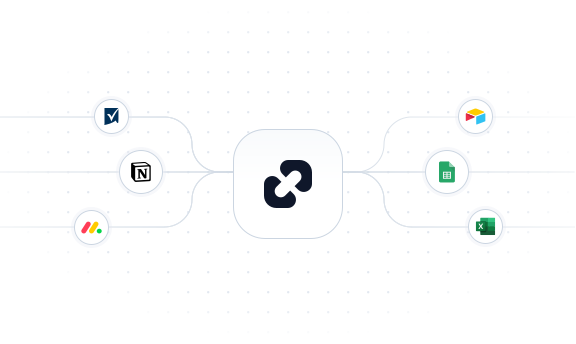
resynced.io allows teams to sync selected Notion properties into Google Sheets, run calculations using full spreadsheet functionality, and send only the final results back into Notion on a schedule.
Sheets becomes the calculation engine. Notion stays clean and easy to use.

A Practical Way to Think About It
Notion does not need to replace spreadsheets, and spreadsheets do not need to become workspaces. When you stop forcing one tool to do everything, workflows become simpler, not more complex.
If your team uses formulas, scoring systems, or numbers that change over time, using Google Sheets calculations in Notion is not just a quick fix. It is often the best way to keep data both correct and flexible.
Start syncing smarter with resynced.io!
Ready to simplify your data syncing? resynced.io offers a free trial so you can experience focused, reliable data syncing without worry.

We are here to synchronize your data!