Author

Antonina Smyrnova
When teams link tools like monday.com, Notion, Smartsheet, HubSpot or Google Sheets, one main concern comes up:
“Is our business data safe?”
Integrating different tools can seem risky since a third-party service may read, write, or sync sensitive information. That’s why resynced.io puts security and data control at the center of its design, not as add-ons.
This article explains how resynced.io keeps your data safe, what happens during a sync, and why teams can trust the platform to automate workflows without risking confidentiality.
Why Data Protection Matters in Sync Platforms
Business data lives in many places, such as tasks in monday.com, documents in Notion, financials in FreshBooks, sheets in Google Sheets, and project status in Smartsheet.
Syncing these tools introduces natural concerns:
- Who can access our data?
- Is any data stored?
- How are credentials managed?
- What happens if a sync fails?
- Can someone overwrite our information?
- How do we avoid exposing internal fields?
resynced.io is built to simplify workflows without creating new security issues.
1. Full User Control Over What Gets Synced
A main security benefit of resynced.io is that you decide exactly what the platform can access.
From the site’s product description, resynced.io lets you:
- Choose the source and destination systems
- Select which boards/pages/tables to sync
- Filter specific items
- Include or exclude fields
- Control how new or deleted records behave
- Choose one-way or two-way sync
With this control, only the data you select will pass through the platform.
Nothing syncs by default, and nothing is accessed automatically.
2. Minimal Data Storage
A key question many teams ask:
“Does resynced.io store our data?”
The answer is that resynced.io only stores the minimum metadata needed to run a sync. It does not keep your full documents, boards, or tables.
This means:
- No permanent storage of your business records
- No retention of sensitive internal information
- No hidden database of your content
Data is processed during syncing and then deleted. This approach greatly lowers the risk.
3. Secure API-Based Authentication
resynced.io connects to tools using official APIs from platforms like monday.com, Notion, Smartsheet, Google, and others. It uses secure tokens for authentication instead of passwords.
- resynced.io cannot log in as you
- Only approved permissions are granted
You can revoke access instantly
4. Encryption in Transit and at Rest
All communication between integrated platforms and resynced.io is protected using:
✔ TLS/HTTPS encryption in transit
This means data sent between services is encrypted the whole way.
✔ AES-level encryption at rest
Any metadata or tokens that resynced.io stores are protected with industry-grade encryption.
Even if someone intercepted the data, they would not be able to read it.
5. No Human Access to Your Data
Because resynced.io is fully automated, no team member can read or view your synced data.
Support can only see technical logs and error codes, never your actual content.
This prevents:
- human error
- accidental exposure
- insider threats
- unauthorized viewing
Automation also helps protect your data.
6. Safe One-Way and Two-Way Sync Logic
Overwriting data is one of the biggest fears users have.resynced.io solves this with:
- directional sync control
- field-level write rules
- conflict-resolution logic
- filtering options
- preview-style configuration
- transparent mapping
You decide whether the sync flows:
- monday.com → Google Sheets
- Notion → HubSpot
- Smartsheet → monday.com
- or both directions
Your data will not move until you set the rules to let it.
7. No Access to Unrelated Data
Because permissions are granted per integration, resynced.io never gains full access to your tools.
For example:
If you sync only one monday.com board → resynced.io sees only that board. If you sync one Notion database → only that database is available. If you sync a specific Google Sheet → only that sheet is accessed.
This limits what is exposed and keeps your environment secure.
8. Data Deletion and Revocation Rights
You can:
- delete syncs
- remove integrations
- disconnect systems
- delete the entire account
When you remove access, resynced.io instantly loses the ability to read or write any data.
You always stay in control.
9. Built-In Reliability
resynced.io works as a reliable background automation tool. When a sync runs automatically, you:
- Avoid human mistakes
- Avoid copy-paste errors
- Avoid sharing internal data manually
- Reduce risk of exposing sensitive info
- Remove inconsistencies in multi-tool workflows
Automation is not just efficient, it is also safer.
Conclusion: resynced.io Keeps Your Data Protected at Every Step
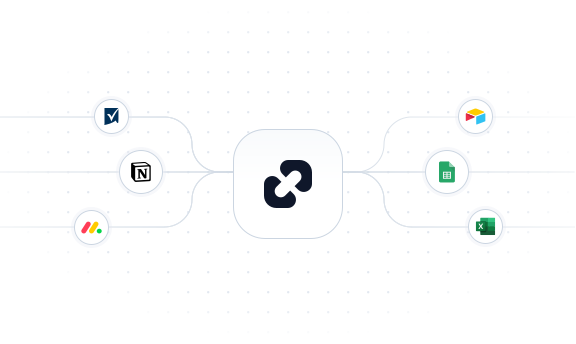
resynced.io offers a secure way to sync tools like monday.com, Notion, Airtable, Google Sheets, and Smartsheet. With controlled permissions, minimal data storage, encrypted communication, and automated workflows, the platform protects your business data without adding complexity.
With resynced.io, you can automate with confidence, knowing:
- Your data isn’t stored unnecessarily
- You control access
- Syncs follow strict rules
- Encryption is always on
- No human can access your content
If your business uses several tools, resynced.io gives you a safe, modern way to keep everything connected without risking your privacy or security.
Ready to try? Sign up for free and experiment with different types of integrations.

We are here to synchronize your data!